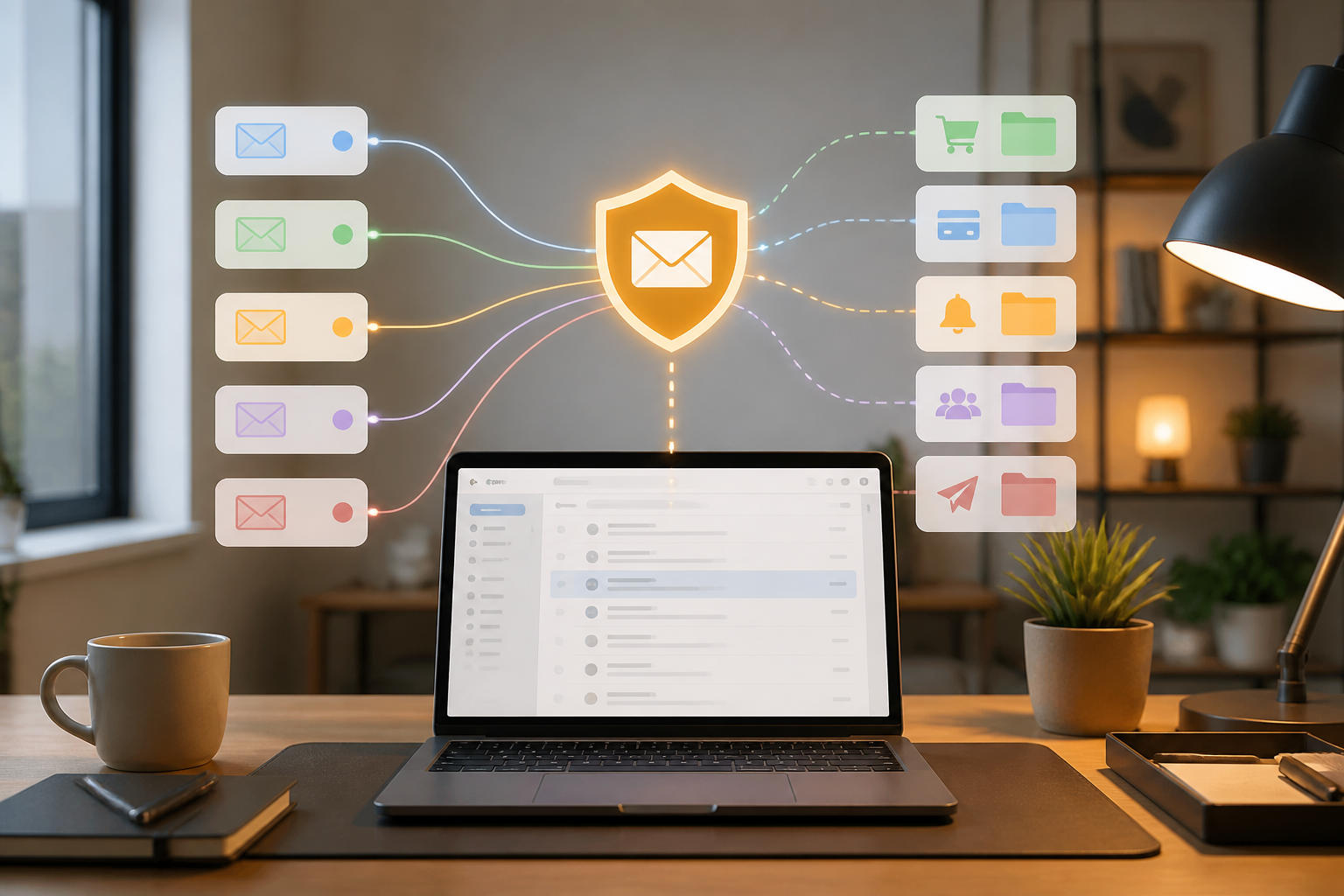
Many people use one email address for almost everything: shopping accounts, newsletters, new apps, work services, and important matters like banking and doctors. It's convenient, but there are consequences. When one service experiences a data breach or starts sending promotions too frequently, the same email address becomes a target for spam and phishing.
One simple way to reduce this problem is by using email aliases, which are additional addresses that forward messages to your primary inbox without revealing your actual address. Think of an alias as a proxy phone number: others can contact you, but they don't directly get your main number.
What is an email alias?
An email alias is not a new inbox that you need to check every day. Typically, an alias serves only as an additional recipient address. Messages sent to the alias will be forwarded to your primary email address.
For example, you have a primary address yourname@email.com. To sign up for an online store, you use an alias like store-shopping@alias.example. The store only knows the alias address. If that address starts receiving too many promotions, you can disable or delete the alias without having to change your primary email address.
Some services refer to it as email masking. Firefox Relay, for instance, creates a proxy address that forwards emails to your original address and allows users to disable or delete it when it's no longer needed. ([support.mozilla.org](https://support.mozilla.org/en-US/kb/firefox-relay-what-email-mask?utm_source=openai))
Why is this approach useful?
1. Easier to track spam sources
If you use different aliases for each category or service, the source of disruptive messages becomes clearer. An alias used for a store that suddenly receives ads from another service indicates that the address may have been shared, sold, or leaked.
This is not definitive proof that a company is selling your data. However, the pattern is useful for determining the next steps: unsubscribe, block the sender, or disable the alias.
2. No need to change your primary email
Changing your primary email address can be cumbersome because that address may be linked to many accounts, password recovery, documents, and work contacts. Aliases provide a layer of separation without forcing you to move your entire digital life.
3. Reduces the impact of data breaches
Aliases do not prevent a service from being hacked. However, if the primary email address is not shared, attackers at least do not directly obtain the address you use for your most important accounts.
It is important to note that email aliases are not a substitute for unique passwords, two-factor authentication, or password managers. Their function is more specific: to limit the spread of your email address.
Differentiate between aliases, temporary addresses, and primary emails
Not all alternative addresses are suitable for the same needs.
- Primary email: use for banking, government services, doctors, work, family, and accounts that are important for the long term.
- Email alias: suitable for online shopping, newsletters, forums, new apps, and services that may frequently send promotions.
- Temporary email: suitable for one-time needs that do not require account recovery. Do not use for travel tickets, important documents, or accounts you want to access again.
Mozilla specifically advises against using email masks when identity verification is needed or when you must receive important messages such as from banks, doctors, lawyers, or boarding passes. ([support.mozilla.org](https://support.mozilla.org/en-US/kb/create-email-mask-through-firefox-relay?redirectlocale=en-US&redirectslug=create-email-alias-through-firefox-relay&utm_source=openai))
How to start using it?
Step 1: Separate accounts by importance level
Make a simple list. Mark accounts as important, regular, or one-time. The primary email should only be used for important categories and trusted contacts.
Step 2: Choose an alias pattern that is easy to understand
You can create one alias for one service, or one alias for one category. A per-service pattern is easier to track, while a per-category pattern is more economical and practical.
If using a service like Firefox Relay, the dashboard can help group aliases using labels like “Online Shopping” or “Newsletter.” ([support.mozilla.org](https://support.mozilla.org/en-US/kb/use-labels-keep-your-masks-organized-firefox-relay?utm_source=openai))
Step 3: Store alias information with passwords
Do not rely solely on memory. Record the aliases used in your password manager, along with the service name and registration date. This way, when you want to delete an account or stop messages, you know which address to disable.
Step 4: Test the reply function before relying on it
Some alias services forward incoming messages, but the ability to reply from an alias may vary. Send a test message before using an alias for communication that requires a response. Apple, for example, explains that the Hide My Email address created through Sign in with Apple can forward messages to a personal inbox and support replies in that scenario. ([support.apple.com](https://support.apple.com/en-us/105078?utm_source=openai))
Things to consider
Email aliases add privacy, but they also add a layer of dependency. If the alias provider stops operating, changes rules, or your account has issues, access to forwarded messages may also be disrupted.
Therefore, do not make all important accounts dependent on aliases. For accounts that are central to recovering other accounts, use a secure primary email address, unique passwords, and two-factor authentication.
Also, be aware of misdirected messages. If you disable an alias, recovery emails, transaction notifications, or support messages that are still needed may also stop. Before deleting it, transfer the email address on related accounts or ensure that those accounts are no longer in use.
What does this mean for us?
Email aliases are not a magic solution for spam. They also do not make you anonymous and do not eliminate the risk of phishing. However, the concept helps create a more structured digital identity: a primary address for important matters, aliases for regular services, and temporary addresses only for short-term needs.
Start with the five services that send the most promotions. Create different aliases, keep a record of them, and then check the results over a few weeks. If an alias starts getting filled with irrelevant messages, you can disable it without disrupting important accounts.
In this way, managing email is no longer just about deleting spam one by one. You also reduce the pathways for spreading your primary address from the start.
Sources & further reading
- Firefox Relay - Email and Phone Masks
- Create an email mask through Firefox Relay
- Use labels to keep your masks organized in Firefox Relay
- How to use Hide My Email with Sign in with Apple
– Rio Yotto @rioyotto