Monitoring news, technology blogs, product changelogs, or announcements from many sites often starts with a simple intention: not wanting to miss important information. The problem arises a few days later. The inbox is full, chat groups are busy, and truly relevant articles get drowned among dozens of other links.
RSS can be a neat data source, while n8n can be used as its filtering layer. So, instead of forwarding all articles to email or chat, the workflow only sends items that meet certain criteria.
A simple example: every hour, n8n reads several RSS feeds about cybersecurity. Articles containing the words “vulnerability,” “patch,” or a specific product name are saved to Google Sheets and sent to Slack. Articles outside the topic are ignored.
A Reasonable Workflow Overview
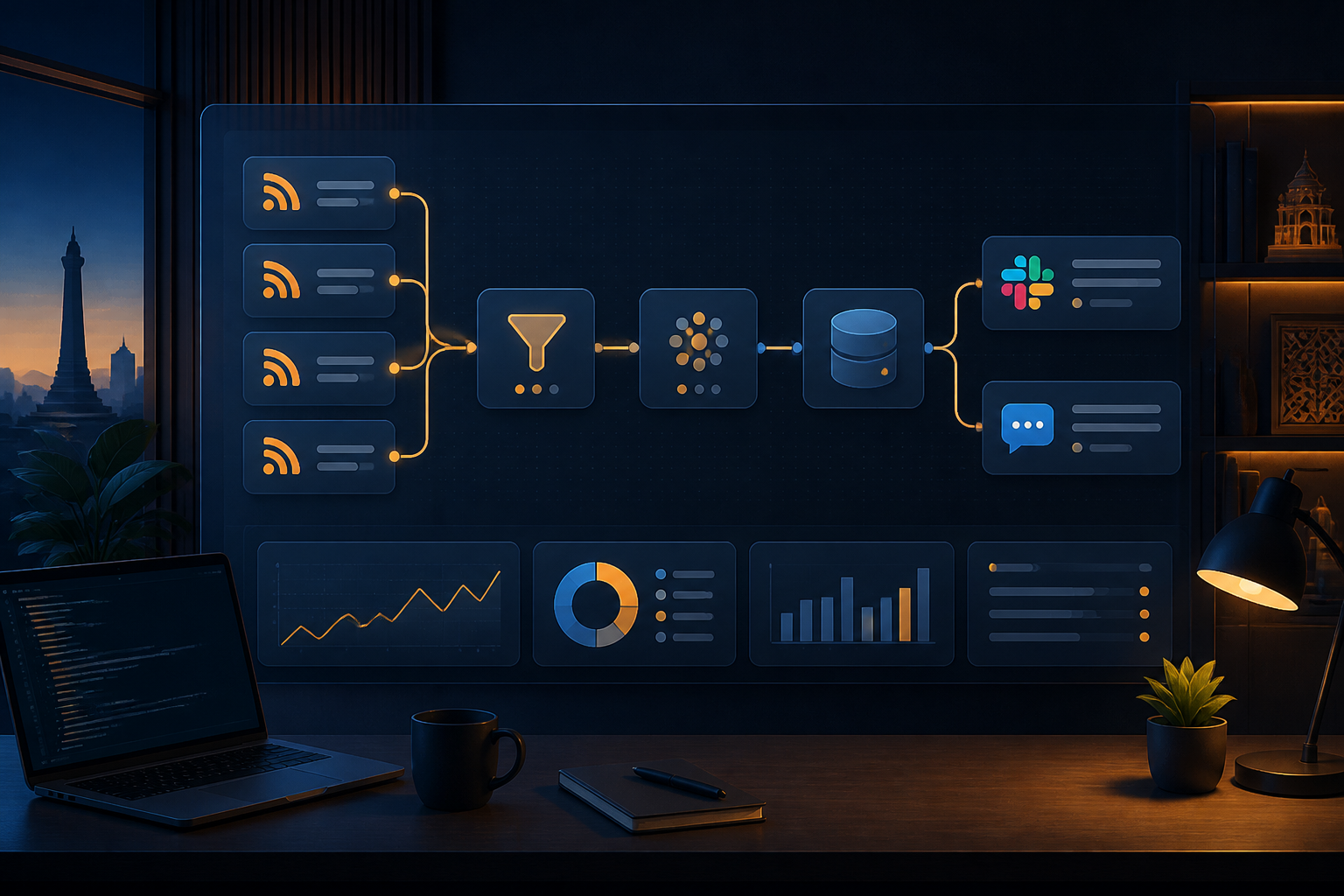
This workflow doesn’t need to be complicated right away. Arrange the flow like this:
- Trigger: the workflow runs based on a schedule or RSS trigger.
- Fetch data: n8n reads the title, URL, publication date, and summary of the article.
- Normalize: the data format from several feeds is standardized.
- Filtering: only articles that match the topic are forwarded.
- Check for duplicates: the URL or article ID is compared with previous records.
- Distribution: articles are sent to email, Slack, Telegram, WhatsApp Business, or an archive table.
- Error monitoring: workflow failures are sent to a dedicated channel for immediate follow-up.
This separation is important because each stage has a different function. If one day you replace Slack with email, the filtering logic doesn’t need to be rebuilt from scratch.
Start with the Most Important Data
RSS feeds usually provide some basic information, such as title, link, publication date, source name, and a brief description. Don’t forward the entire data object to the next stage immediately. Select the fields that are actually needed.
For example, create an internal structure like this:
{
  "title": "Article Title",
  "url": "https://example.com/article",
  "publishedAt": "2026-10-12T08:00:00Z",
  "source": "Source Name",
  "summary": "Brief Summary"
}
This step makes the workflow easier to maintain. Feed A might use the field name link, while Feed B uses url. After normalization, the next node doesn’t need to know the difference.
Use Clear Filters, Not Overly Smart Ones
For initial filtering, simple logic is often more reliable than using AI directly. Use condition nodes to check if the title or summary contains certain words. The If node in n8n is indeed designed to split the flow based on conditions, including text checks like contains, starts with, or pattern matching with regular expressions.
Example rules for the security feed:
- Pass if the title contains “CVE,” “patch,” “security update,” or “zero-day.”
- Pass if the source is on a trusted media or vendor list.
- Reject if the title contains “sponsored,” “webinar,” or irrelevant promotional words.
For more than two categories, use branches like “High Priority,” “Needs to Read,” and “Archive.” Articles with the word “critical” can go into immediate notifications, while articles on general topics can be collected for a daily summary.
Don’t Forget to Prevent Duplicate Articles
RSS workflows are often run repeatedly. Without a deduplication mechanism, the same article can be sent multiple times when the feed format changes, the server is slow to update dates, or the workflow is rerun after a failure.
The most practical deduplication key is usually the article URL. Store processed URLs in a Data Table, a small database, Google Sheets, or another suitable storage. Before sending notifications, perform the following steps:
- Check if the URL has been recorded before.
- If it exists, stop the flow for that article.
- If it doesn’t exist, save the URL and continue to the destination channel.
If URLs frequently change due to tracking parameters, clean parts like utm_source and utm_campaign before comparison. If available, the article ID from the feed can be a more stable key.
Distribute According to Urgency Level
Not all filtered results need to go to chat groups. Too frequent notifications will cause people to turn off notifications, defeating the purpose of automation.
Create at least two paths:
- Urgent: sent immediately to a small channel, such as security incidents affecting products you use.
- Digest: collected and sent once or twice a day as a reading list.
If using an external API to send messages, the HTTP Request node in n8n can be used to call REST services that do not have a specific node. This node supports methods like GET, POST, PUT, and PATCH, as well as various authentication methods. Use credentials stored in n8n, rather than placing tokens directly in the workflow text fields.
For WhatsApp, pay attention to the rules and limitations of the API provider used. Internal notification automation is not the same as sending promotional messages to many numbers. Ensure recipients have indeed given permission and that message templates comply with service terms.
Design Error Paths from the Start
RSS feeds can change, API endpoints may hit request limits, and credentials can expire. A workflow that only has a success path will seem fine until one day it stops working without notice.
Create a separate error workflow using the Error Trigger. This node can receive details of the failed workflow, including the workflow name, the last node executed, and the error message. Send this information to the admin channel in a concise format:
Workflow failed: RSS Security Monitor
Node: HTTP Request
Message: API returned status 429
Action: check request limits or reschedule
Avoid sending the entire payload if it contains sensitive data. Just send information that helps diagnosis and a link to execution if available.
What You Can Do Now
- Select two or three RSS feeds that are truly needed.
- Define a maximum of five main keywords and some exclusion words.
- Create a small workflow: trigger, filter, and one notification channel.
- Add URL logging to prevent articles from being sent repeatedly.
- Test with real data for a few days before adding AI or other integrations.
The measure of success for this workflow is not the number of nodes used. Measure it by more practical things: how much irrelevant information has been trimmed, how much monitoring time has been saved, and whether people still want to read the incoming notifications.
RSS gives you a flow of data. n8n gives you a way to make decisions before that data disrupts humans. That’s where the true value of automation lies: not in forwarding everything faster, but in delivering the right thing at the right time and place.
Sources & Further Reading
– Rio Yotto @rioyotto