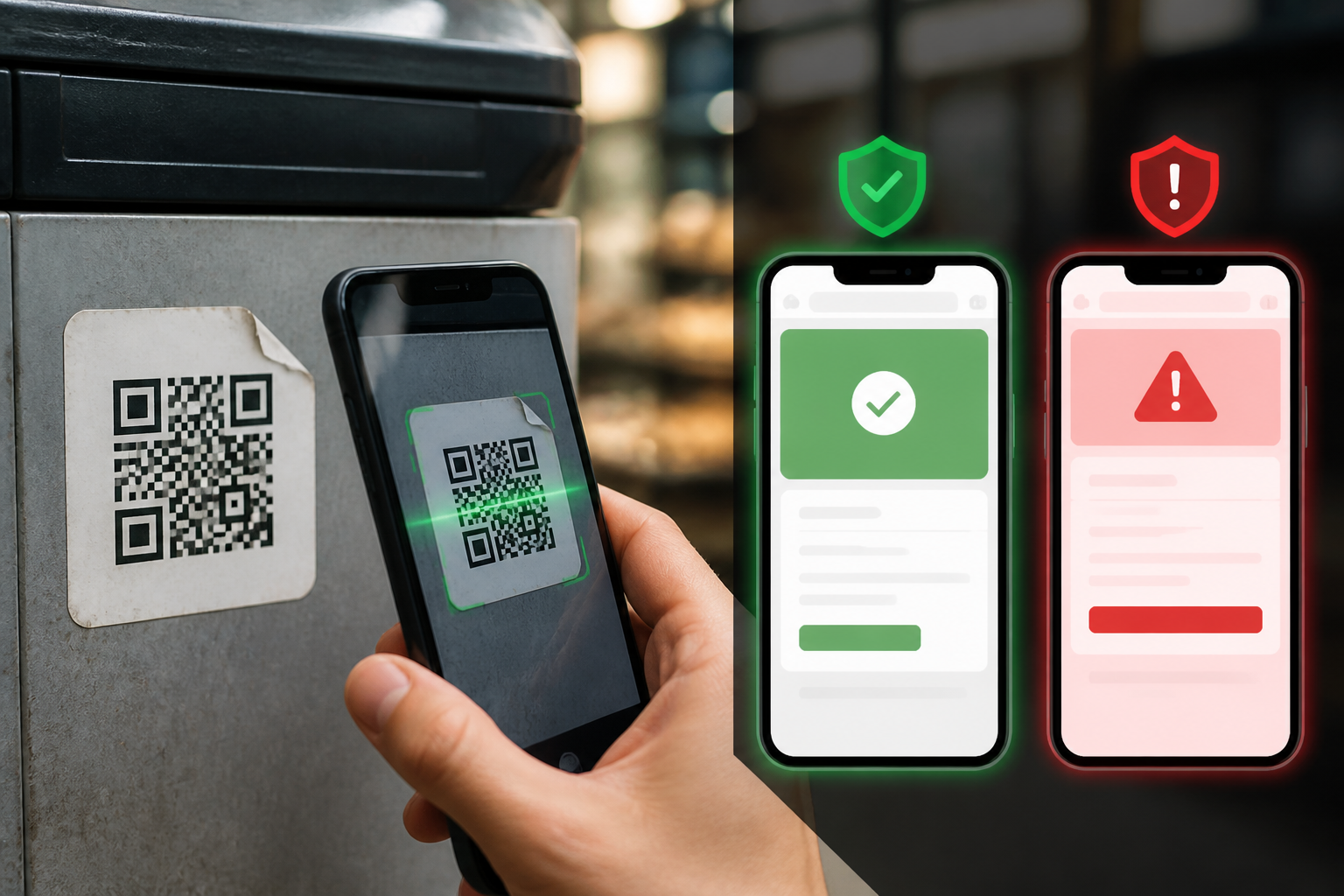
QR codes have become part of our routine: ordering food, paying for parking, opening menus, or participating in promotions. The problem is, we often treat QR codes like ordinary images—just scan them without checking the final destination.
In fact, QR codes only store information, usually in the form of a website address or payment instructions. They are not automatically safe just because they are printed on paper, placed in public areas, or sent by seemingly official accounts. Scammers can replace QR code stickers, embed QR images in emails, or send them via messages with plausible reasons.
This type of scam technique is often referred to as quishing, short for QR code phishing. The essence is the same as regular phishing: victims are directed to fake pages to enter passwords, card data, verification codes, or send money.
Why Are QR Codes Effective for Scamming?
When seeing a link in an email or chat, some people still take the time to read the address. QR codes eliminate that opportunity. We scan them, and then the phone opens the destination page in seconds.
Additionally, the small phone screen makes it harder to check the website address. Fake sites can be made to resemble bank pages, marketplaces, delivery services, or government services. If victims immediately trust the appearance of the page, sensitive data can be entered before realizing that the address is not an official site.
The FBI and FTC have warned about several variations of this modus operandi, including QR codes on packages that were never ordered, messages about account issues, and notifications of fines or payments designed to appear urgent. In some cases, QR codes can lead to phishing sites or prompt victims to download malicious software.
Four Situations That Should Make Us Pause
1. QR Codes Received via Unsolicited Emails or Messages
Messages saying “your account has issues,” “package delivery failed,” or “verify now” are designed to make us act without thinking. QR codes make that process feel easier, but they actually hide the destination address.
If the message might be legitimate, do not use the QR code within it. Open the official app or type the company’s website address manually. For banking matters, use the bank’s app or the phone number listed on the card and its official site—not the information provided by a suspicious message.
2. QR Codes Placed Over Existing Codes
This can happen on parking machines, posters, restaurant tables, or bulletin boards. A new sticker may cover the original code and direct payments to a scammer's account.
Check if the sticker looks crooked, covers the old design, or appears to have been applied later. If available, use the official app for that location or search for the service name manually in a search engine.
3. QR Codes Requesting Unreasonable Data
QR codes for viewing menus typically do not require email passwords, ID card numbers, or OTP codes. QR codes for payments should also be checked carefully: who the recipient is, the amount, and whether the transaction genuinely comes from the service being used?
If the page asks for a password, PIN, verification code, or card data without a clear reason, close the page. Legitimate companies should not ask for personal security codes through messages or calls that you did not initiate.
4. QR Codes Accompanied by Time Pressure
Statements like “pay within 10 minutes,” “account will be closed today,” or “avoid fines by scanning now” are red flags. A sense of panic makes us skip simple checks.
Requests that are truly important can usually still be confirmed through official channels. Take a few minutes to pause, then check directly through the app or site that you know is legitimate.
How to Scan QR Codes More Safely
- Check the address preview before opening. Many phone cameras display the URL after scanning a QR code. Check the spelling, domain name, and address suffix.
- Don’t just look at the brand name. Scammers can use the words “bank,” “pay,” or a company name in an address that is not actually an official domain.
- Do not log into accounts through suspicious links. If prompted to log in, close the page and manually open the official app.
- Check payment details. Ensure the recipient's name, amount, and transaction purpose are correct. QR codes that change the recipient to an unknown person or company should be canceled.
- Update your operating system and apps. Updates help close security gaps that can be exploited after someone opens a link or installs malicious apps.
- Use multi-factor authentication. This additional layer does not make phishing impossible, but it can limit the impact if a password is ever leaked.
Already Scanned? Don’t Panic Immediately
Scanning a QR code does not necessarily mean your phone has been hacked. The risk increases if you open a link, enter data, download an app, grant permissions, or complete a payment.
If it just opened and was immediately closed, delete that tab and do not interact further. If you entered a password, change it immediately from the official site or app. If the same password is used on other services, change all of them. If you provided card data or made a payment, contact your bank or payment provider as soon as possible to request a block or review of the transaction.
Also, check any newly installed apps and permissions that were recently granted. Suspicious apps should be deleted, but do not enter additional data on the same page to “fix” the issue.
What Does This Mean for Us?
QR codes are not something to be feared or completely avoided. They remain useful, but should be treated like links: check the source, destination, and requests after opening.
The simplest habit is not to scan just because you feel you must act immediately. If a QR code comes with threats, rewards, unknown packages, or sudden payment requests, verify through official channels first.
In digital security, a small pause is often more useful than additional apps. One minute to check a website address can prevent passwords, money, and access to accounts from falling into the wrong hands.
References: FTC consumer guide on QR code fraud and FBI warnings about unsolicited packages containing QR codes.
Sources & Further Reading
- Scammers hide harmful links in QR codes to steal your information — FTC
- Unsolicited Packages Containing QR Codes Used to Initiate Fraud Schemes — FBI
- That text about a traffic violation is probably a scam — FTC
- FBI Tech Tuesday: Building a Digital Defense Against QR Code Scams — FBI
– Rio Yotto @rioyotto