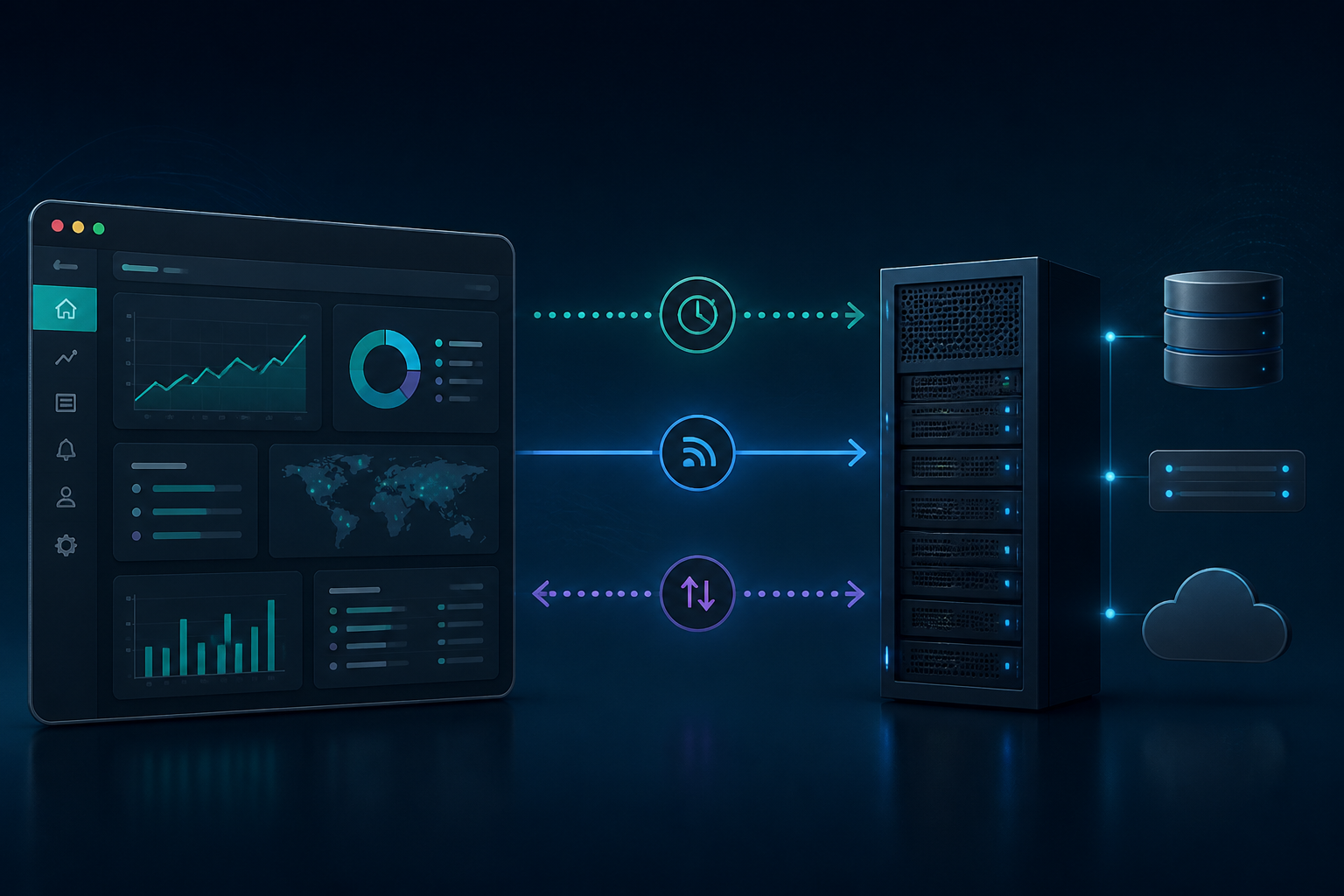
When a page needs to display order status, work progress, notifications, or changing prices without waiting for the user to press the refresh button, we need more dynamic communication between the browser and the server. However, real-time solutions do not always mean WebSocket.
Many applications become harder to maintain because they choose technologies that are too complex for simple needs. A dashboard that only needs to receive updates from the server, for example, does not necessarily require full two-way communication. Conversely, collaboration or chat applications will quickly hit limits if they only rely on regular HTTP requests.
The three most commonly compared approaches are polling, Server-Sent Events or SSE, and WebSocket. Understanding how each works will help us make decisions based on communication patterns, not just technology trends.
Polling: simple, but can be wasteful
Polling means the browser sends requests to the server periodically. For example, JavaScript calls the endpoint /api/status every five seconds to check for changes.
setInterval(async () => {
  const response = await fetch('/api/status');
  const data = await response.json();
  renderStatus(data);
}, 5000);
The advantage of polling is its easy implementation. Almost all servers, PHP frameworks, and HTTP infrastructure are ready to use it. There is no special connection that needs to be maintained, making debugging relatively familiar: we just need to look at the request and response in the Network tab of the browser.
The problem is that most requests may not result in changes. If 1,000 users open the dashboard and each sends a request every five seconds, the server has to handle about 200 requests per second even though the data only changes occasionally. An interval that is too short burdens the server, while an interval that is too long makes information feel delayed.
Polling is suitable for data that does not need to appear instantly, such as synchronization status, simple statistics, or admin pages with infrequent changes.
SSE: a practical choice for one-way updates
Server-Sent Events or SSE allows the server to send data to the browser over a persistent HTTP connection. The browser uses the EventSource API to receive a stream of events from a specific endpoint.
const source = new EventSource('/events.php');

source.addEventListener('order-updated', (event) => {
  const order = JSON.parse(event.data);
  renderOrder(order);
});
Unlike WebSocket, SSE is designed for one-way communication: the server sends updates to the client. If the browser needs to send an action, such as changing the order status, that action can still use fetch() or regular HTTP forms.
This model is suitable for notifications, activity feeds, long process progress bars, background process monitoring, or monitoring dashboards. The server can send events like the following:
event: order-updated
data: {"id":123,"status":"packed"}
The SSE format uses the MIME type text/event-stream. The browser also has a built-in reconnect mechanism when the connection is lost. Events can be given IDs so that the server and client can help resume the stream from a specific position after reconnecting. However, this recovery feature is not a reason to neglect idempotent event design and authorization checks.
SSE has limitations. It is not suitable if the client needs to send many messages continuously over the same connection. Support for binary data transmission is also not as flexible as WebSocket. Additionally, the server, reverse proxy, and hosting platform must be configured not to buffer responses for too long.
WebSocket: for intensive two-way communication
WebSocket provides a two-way connection that allows the browser and server to send messages to each other over the same connection. After the handshake process, applications can send and receive messages without making new HTTP requests for each communication.
const socket = new WebSocket('wss://example.com/socket');

socket.addEventListener('message', (event) => {
  const message = JSON.parse(event.data);
  renderMessage(message);
});

socket.addEventListener('open', () => {
  socket.send(JSON.stringify({ type: 'join-room', room: 'general' }));
});
WebSocket is more suitable for chat, multiplayer games, document collaboration, shared whiteboards, or applications that require quick responses from both sides. The client can send actions, the server can broadcast changes, and neither needs to continuously make new requests.
This flexibility comes with additional responsibilities. Long-lived connections need to be managed when users log out, sessions expire, networks change, or servers deploy. The server must also limit message size, connection counts, sending frequency, and timeouts.
For production, use wss://, not ws://. Validate authentication and authorization at both the handshake and when processing messages. Do not assume WebSocket connections are automatically secure just because they come from a logged-in browser. Origin, session, payload, and access rights still need to be checked.
How to choose without guessing
- Choose polling if data does not need to appear instantly, changes are rare, and simplicity is more important than low latency.
- Choose SSE if most communication flows from the server to the browser, such as notifications, long process progress bars, and activity feeds.
- Choose WebSocket if both the browser and server need to actively send messages with low latency.
- Continue using regular HTTP for CRUD operations, form submissions, and requests that do not require long connections.
A single application can also use more than one approach. For example, an admin page can use HTTP to save changes, SSE to receive the latest status notifications, and polling as a fallback when streaming connections are unavailable.
What to check before going into production
- Measure latency needs. Is a five-second delay acceptable? If so, polling may be sufficient.
- Count the number of connections. SSE and WebSocket maintain connections longer, so worker, proxy, and load balancer capacity need to be tested.
- Design reconnect. Determine retry intervals, stop conditions, and how to prevent thousands of clients from reconnecting simultaneously.
- Create safe repeatable events. Clients can receive messages more than once. Use event IDs or idempotency keys to prevent updates from duplicating data.
- Prepare observability. Log connections opened, closed, authentication failures, rejected messages, and disconnection reasons without storing tokens or sensitive data.
Conclusion
Polling, SSE, and WebSocket are not a hierarchy of sophistication. They are all tools for different needs. Start with simple questions: who sends data more often, how quickly updates need to be received, and how many connections the infrastructure can handle?
If the server only needs to notify the browser, SSE often provides a neat middle ground. If communication needs to be active in both directions, WebSocket is worth considering. If real-time needs are still light, well-designed polling with reasonable intervals can be the easiest to maintain option.
Technical References
- MDN Documentation on Using Server-Sent Events
- WHATWG Specification for Server-Sent Events
- OWASP WebSocket Security Cheat Sheet
Sources & Further Reading
- Using server-sent events - Web APIs | MDN
- HTML Standard — Server-sent events
- WebSocket Security Cheat Sheet — OWASP
– Rio Yotto @rioyotto