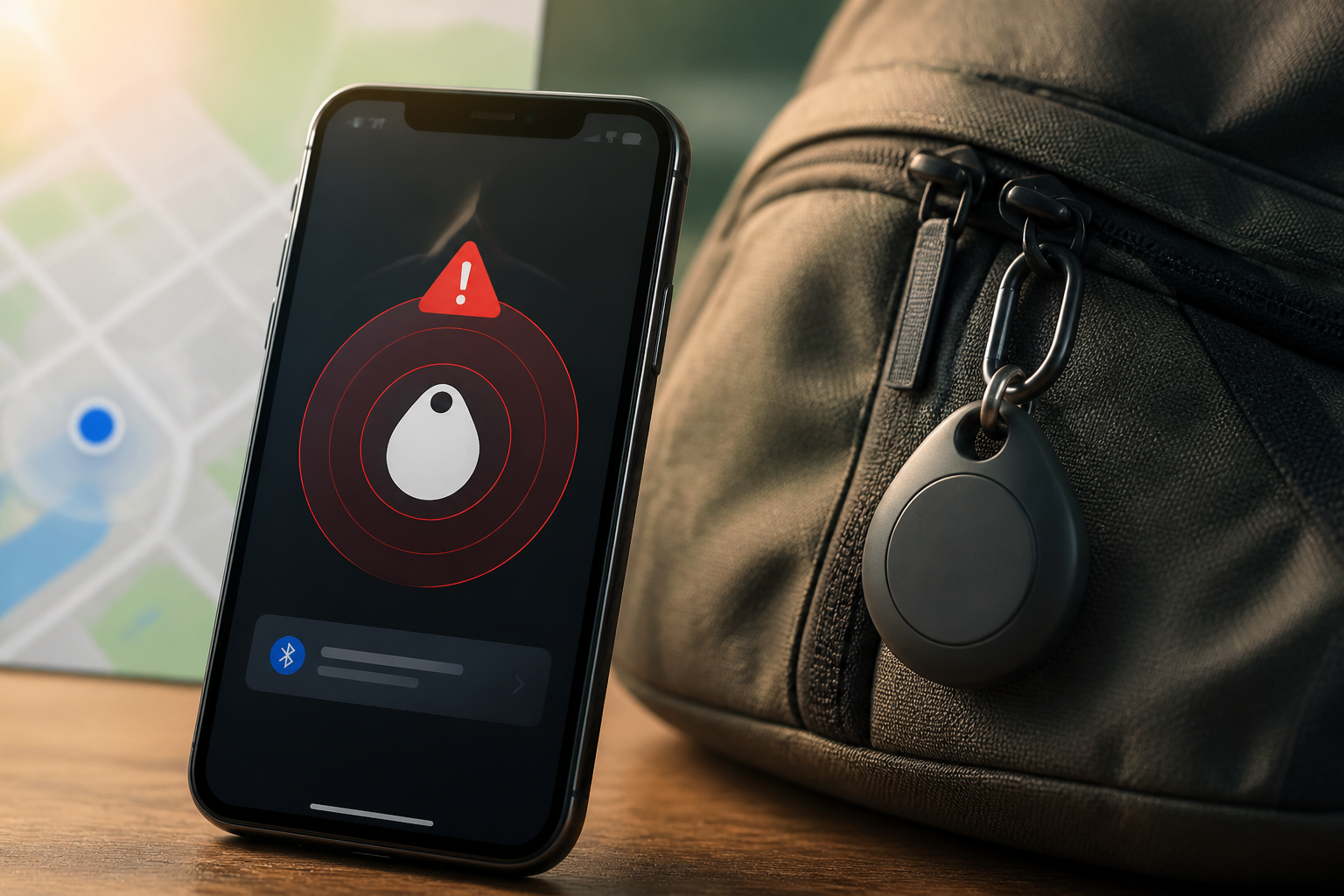
Bluetooth tracking devices like AirTag and similar tags are indeed useful for finding keys, bags, bicycles, or luggage. The problem is, these small devices can also be misused to monitor someone's movements without consent.
For this reason, iPhones and Android devices now have alert features to detect trackers that may be moving with you. Receiving such notifications can be alarming, but it does not automatically mean you are a victim of stalking. The tracker could be attached to borrowed items, in a vehicle you share, or belong to someone traveling nearby.
The important thing is not to ignore it and not to make hasty decisions.
What does an unknown tracker alert mean?
The alert usually appears when your phone detects a tracking device that does not belong to you, separated from its owner, and detected moving with you for some time.
On Android, this feature is known as unknown tracker alerts. Google states that this feature can detect several compatible trackers, including AirTag and devices connected to the Find Hub network. On iPhone, the system can send notifications if an AirTag or Find My network accessory separated from its owner is seen moving with you.
However, the system does not always immediately alert you when a tracker is near. The phone needs to gather movement patterns first to avoid generating false alarms too frequently. This means that not receiving a notification is not a guarantee that there are no trackers around you.
Don't immediately turn off Bluetooth or location services
The first response often taken is to turn off Bluetooth, location services, or enable airplane mode. This step does not solve the problem. These settings only affect your phone's ability to detect or communicate with the tracker, not the tracker's ability to continue sending location through other devices.
If an alert appears, open the notification and pay attention to the map displayed. The map usually shows the location or route where the tracker was detected with you. This information can help you remember if you recently borrowed a bag, got into someone else's vehicle, or traveled with someone carrying their tracker.
Steps to take on iPhone
- Open the tracking notification. Select the alert to see the type of device and the last known location when the tracker was detected.
- Use the Play Sound option. If available, the tracking device will emit a sound. Listen from inside bags, jacket pockets, car compartments, or items that are rarely checked.
- Use Find Nearby if available. On supported devices and trackers, this feature can help guide you to the device's location.
- Check device information. By bringing your iPhone or NFC-enabled phone close to the AirTag, you can see the serial number and some registration information. Save a screenshot if the situation feels suspicious.
- Follow instructions to disable the tracker. Once disabled, the owner will no longer receive location updates from that tracker.
Alert history can be checked through the Find My app by opening the section for items detected with you. The menu name may vary slightly depending on the operating system version.
Steps to take on Android
- Tap the unknown tracker notification. Android will display a map and information about the detected device.
- Select Play Sound. Playing the sound does not notify the tracker owner, allowing you to search for the device more discreetly.
- Use Find Nearby if supported. On certain trackers, Android can help indicate whether you are getting closer to or further away from the device.
- Check your belongings. Inspect pockets, bags, vehicles, jackets, or borrowed items that are moving with you.
- Save evidence. Take a screenshot of the notification, detection map, time, and device information before disabling it.
Android also provides manual scanning through safety and emergency settings, then the unknown tracker alert menu. Manual scanning is useful if you feel something is off, even if you haven't received an automatic notification.
When should the situation be taken seriously?
One alert does not always indicate malicious intent. The situation becomes more concerning if the tracker continues to appear on several different days, its route follows your personal travels, or the device is found hidden in a vehicle or items you have never lent.
If you feel threatened, do not search for or confront the person suspected of placing the tracker alone. Go to a public place, contact a trusted person, and consider reaching out to authorities. Keep the tracker, serial number, screenshots, and notes of time and location if it is safe to do so.
Safety is more important than proving who owns the tracker. Do not sacrifice your safe position just to retrieve the device.
Bluetooth trackers are not the only risk
It is important to distinguish between physical trackers and monitoring applications installed directly on phones. Such applications are often referred to as stalkerware, which is software that can be used to monitor location, messages, photos, or internet activity without the phone owner's knowledge.
If you suspect your phone is being monitored by a partner or someone who has physical access to the device, do not rush to delete the application or perform a reset. In domestic violence situations, sudden changes can trigger a reaction from the perpetrator. Use another safer device to seek help and formulate a safety plan.
Simple habits to reduce risk
- Use a lock screen that others do not know and do not share access codes.
- Regularly update the operating system and applications.
- Check location permissions for applications that are no longer in use.
- Do not accept used trackers or smart devices until it is confirmed they have been removed from the previous owner's account.
- Make it a habit to check bags and vehicles if you receive repeated alerts.
The bottom line
The tracker detection feature is designed as a tool, not as the sole evidence that someone is stalking you. Use notifications to understand patterns, locate devices, and gather information. If there are warning signs, prioritize a safe place and human assistance over trying to resolve everything on your own.
By understanding how these alerts work, we can use tracking devices for beneficial purposes without neglecting privacy and safety aspects.
Sources & further reading
- Apple Support: What to do if you get an alert that an AirTag or compatible Bluetooth location-tracking device is with you
- Google Android Help: Find unknown trackers
- Apple Personal Safety User Guide: Detect unwanted trackers
- FTC Consumer Advice: Stalkerware: What To Know
– Rio Yotto @rioyotto